 Momentum
Getting Started
The app walks you through the essentials on first launch — this page is the companion for afterward: your first day, in order, and why each step matters.
Minute one: dump your head
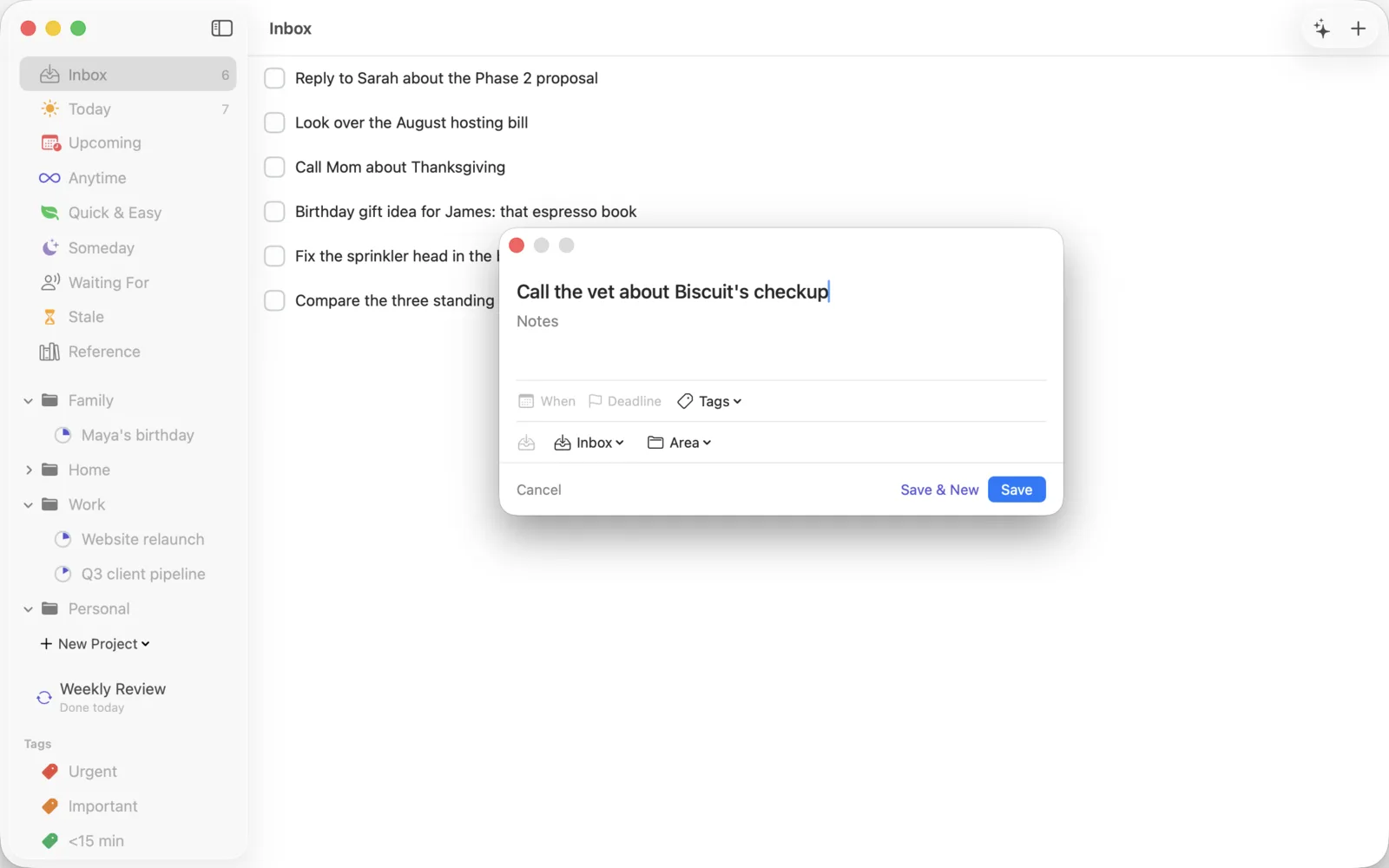
Before organizing anything, capture everything. Press ⌘N in the Inbox (or ⌃Space from literally any app on your Mac) and type every open loop you're carrying: commitments, ideas, errands, the email you're avoiding. Don't categorize. Don't judge. Ten to thirty items is normal for a first dump — if it's three, you're editing instead of capturing.
On iPhone, the quick-add bar and the Lock Screen widget do the same job: get it out of your head, keep moving.
Minute ten: your first triage
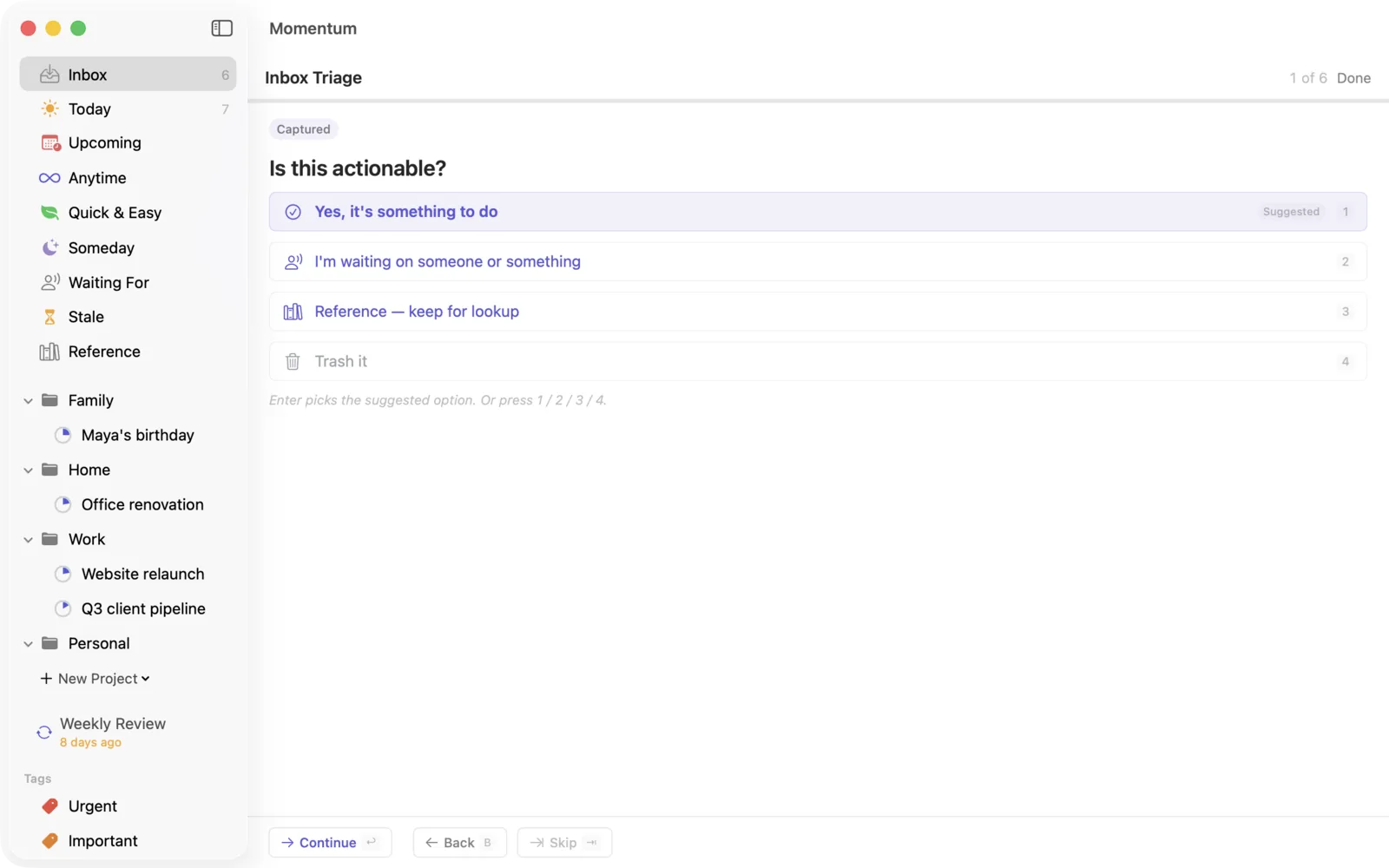
Now empty the Inbox — one decision per item. Press ⌘T to run AI triage (each item gets a suggested destination you confirm or correct), or work the list by hand. Either way the question per item is the same: is it actionable? Do it now if it's tiny; give it a when-date if it's for a specific day; send it to Anytime if it's committed but unscheduled; Someday if you're not committing; Reference if it's information; trash if you're honest.
Minute twenty: build today's list
Open Today (⌘2). If triage went well there are already a few items here. Keep it to roughly six deliberate items — a Today list you actually finish beats an ambitious one you roll over. If you granted calendar access, your real events sit alongside the tasks, so the plan fits the day that actually exists.
Day three-ish: projects and areas
Once single tasks feel natural, group the multi-step work: a project is anything needing more than one action ("Ship the proposal"); an area is an ongoing responsibility that never finishes ("Clients," "Home"). Don't architect a taxonomy on day one — create projects when a task turns out to be three tasks, and let structure emerge from the work.
Day seven: your first weekly review
This is the step that separates people whose system lasts from people who are back in a text file by autumn. Book 30 minutes — same time every week — and run the Weekly Review wizard. It walks every project and makes the drift visible while it's still small.