 Momentum
AI Triage
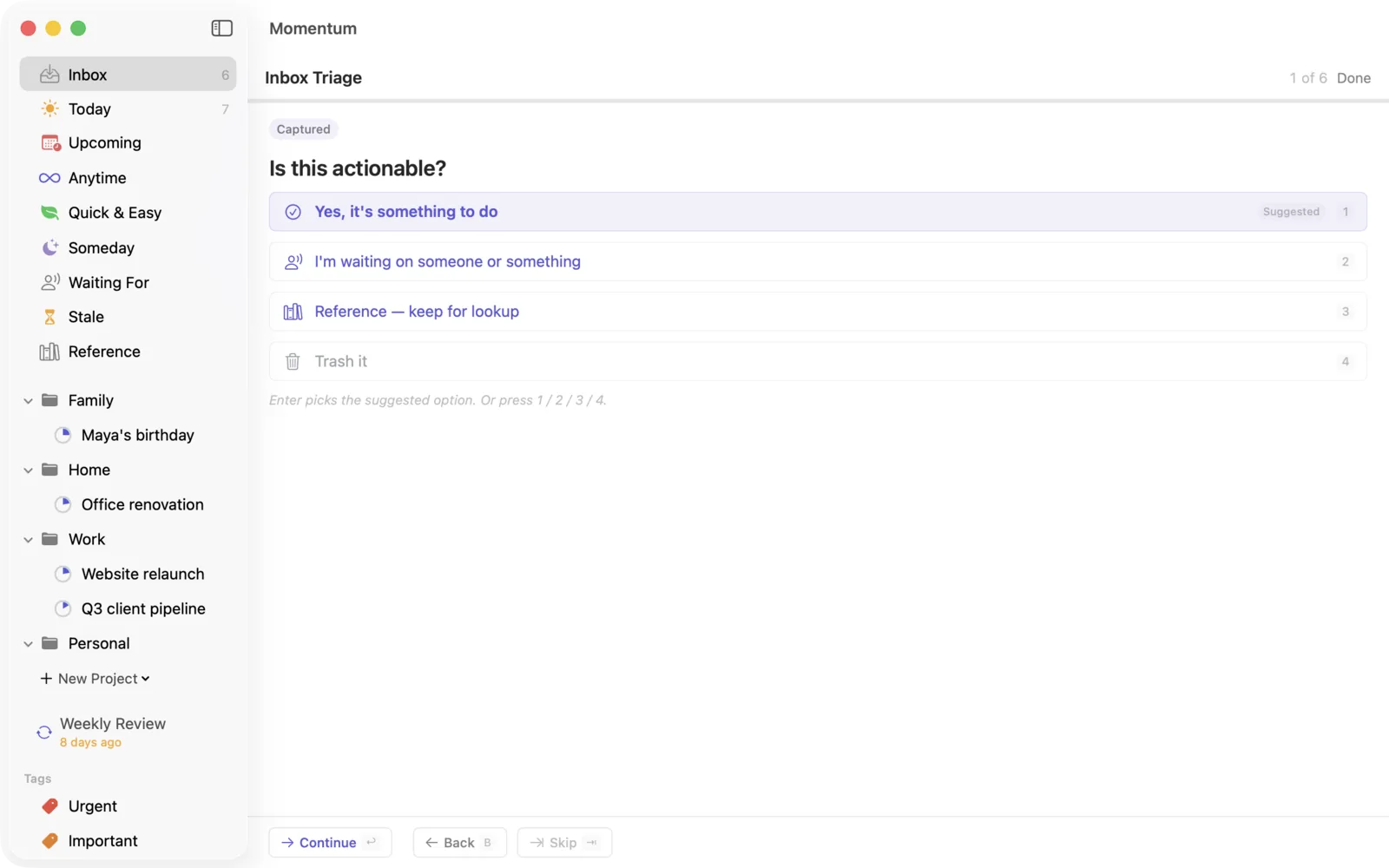
Triage is the decision-making step, and decisions are the expensive part of any task system. AI Triage doesn't make them for you — it stages each one so that most of the time, deciding takes a single keystroke.
How it works
Press ⌘T with items in your Inbox. Each item is analyzed — powered by Anthropic's Claude — and presented one at a time as a card with a suggested routing: where it should go (Today, a specific project, Anytime, Upcoming with a date, Someday, Reference, or trash), plus flags it detected — a task small enough to just do now, or one that reads like a hand-off, with a suggested owner and follow-up date for Waiting For.
You confirm every item. Nothing is filed, scheduled, delegated, or deleted without your say-so. Accept the suggestion with one key, or override any part of it — destination, date, wording. The AI proposes; you dispose.
On iPhone and iPad
Tap the sparkle at the top of the Inbox. Each card shows the suggestion as a row of labels you can tap to change: When (Today, Anytime, a date, Someday), Area or Project, Due (a hard deadline, if there is one), and Takes (how long the next action should take). Takes is an estimate, not a time: setting it to 2 hours doesn't schedule anything. When does that.
Accept files the item exactly as the labels say. Refine step-by-step walks every decision one screen at a time, the same steps the Mac shows.
To file something in an area you haven't made yet, tap Area, then New Area… at the bottom of the list. On the Mac it's New Area… in the area menu on the last card. If an area with that name already exists, Momentum uses it rather than making a second one.
Why "Skip" and not "Next"
Skip moves on and leaves the item in your Inbox, untouched: nothing is filed, scheduled or changed, and it's back at your next triage. A "Next" button would suggest the opposite, that whatever the card shows has been kept. The way forward is Accept (or Return on the Mac), which applies the routing. Skip is for the item you genuinely can't decide yet; deciding is the point of triage, so it should be the rare one.
It learns from your corrections
Every override teaches it. Reroute "Email Sarah re: proposal" from Anytime to your Client Pipeline project once or twice, and future Sarah-proposal items arrive with the right project already suggested. The suggestions are noticeably better in week three than on day one — the system is learning how you file, not how people file in general.
Using it well
Capture sloppy, triage smart. Because triage is cheap, capture can be careless — half-sentences are fine. "sarah phase 2 email" routes correctly anyway.
Do the tiny ones inline. When an item is flagged as do-it-now-sized, do it now. Filing a two-minute task costs more than the task.
Don't rubber-stamp. The suggestions exist to speed up your judgment, not replace it. If a suggestion feels wrong, correcting it is the most valuable keystroke in the app — it's the one that makes next week faster.
Privacy and cost
AI Triage runs only when you invoke it. When you do, the titles and notes of the items being triaged are sent for analysis — either through Momentum's managed service (which logs usage metadata, never task content) or directly to Anthropic under your own API key if you've set one in Settings. If you never invoke it, your task text never leaves your device. Details in the privacy policy. A typical triage session costs on the order of a cent.