 Momentum
Views
Every view answers exactly one question. If you know the question, you know when to open it — and just as importantly, when not to.
The main lists
Inbox
The question: what have I captured that I haven't decided about yet?
Everything you capture lands here. Nothing lives here — every item is waiting for one decision, made during triage. Aim to empty it daily; with AI Triage that's minutes. A full inbox isn't a backlog, it's a stack of unmade decisions.
Today
The question: what am I doing today?
The list you actually work from. Items appear here when their when-date arrives. Keep it honest: if a third of Today routinely rolls over to tomorrow, you're using it as a wish list. Six deliberate items beat sixteen aspirational ones.
Upcoming
The question: what's coming, and when?
A date-ordered look at the future: when-dated tasks, deadlines, and repeating tasks, day by day. Use it to plan the week and to answer "can I take this on?" before you say yes. It's a planning view — don't work from it.
Anytime
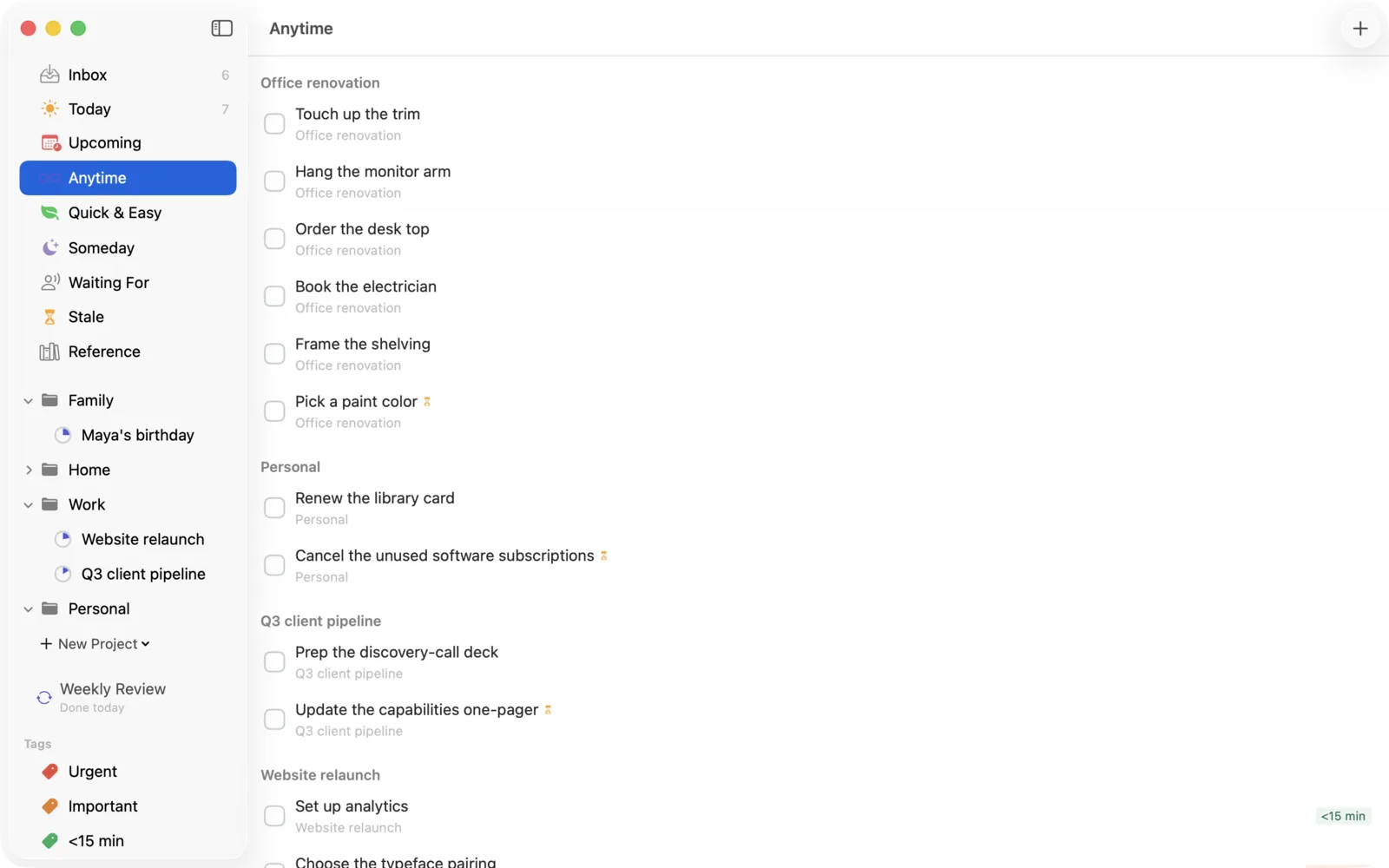
The question: what could I do next?
Committed next actions that don't have a chosen day. This is the menu you pull from when Today is done or a slot opens up. If something has sat in Anytime so long you flinch at it, the Stale view will make you deal with it — that's by design.
Someday
The question: what might I do, eventually?
Ideas you're not committing to — parked deliberately, without guilt. Someday items never appear in action lists and never nag. The Weekly Review resurfaces them so "someday" stays a real decision instead of a polite place for things to die.
Logbook
The question: what happened?
Everything completed or dropped, newest first. It's a record, not a working view — useful for weekly review, status updates, and the occasional proof that you did, in fact, do things this month.
The special views
These four are Momentum's additions to the classic setup. They're the non-obvious part of the app, and the part that keeps the system honest.
Quick & Easy
The question: what can I do with the energy I have right now?
Low-effort tasks from across your system, surfaced in one place. It exists for depleted moments — the 4 p.m. slump, the twenty minutes after a brutal call, the end of the day. The rule is deliberately dumb: open the view, take the top item, do it. Don't browse, don't optimize. Small completions restore momentum, and momentum is the point.
Stale
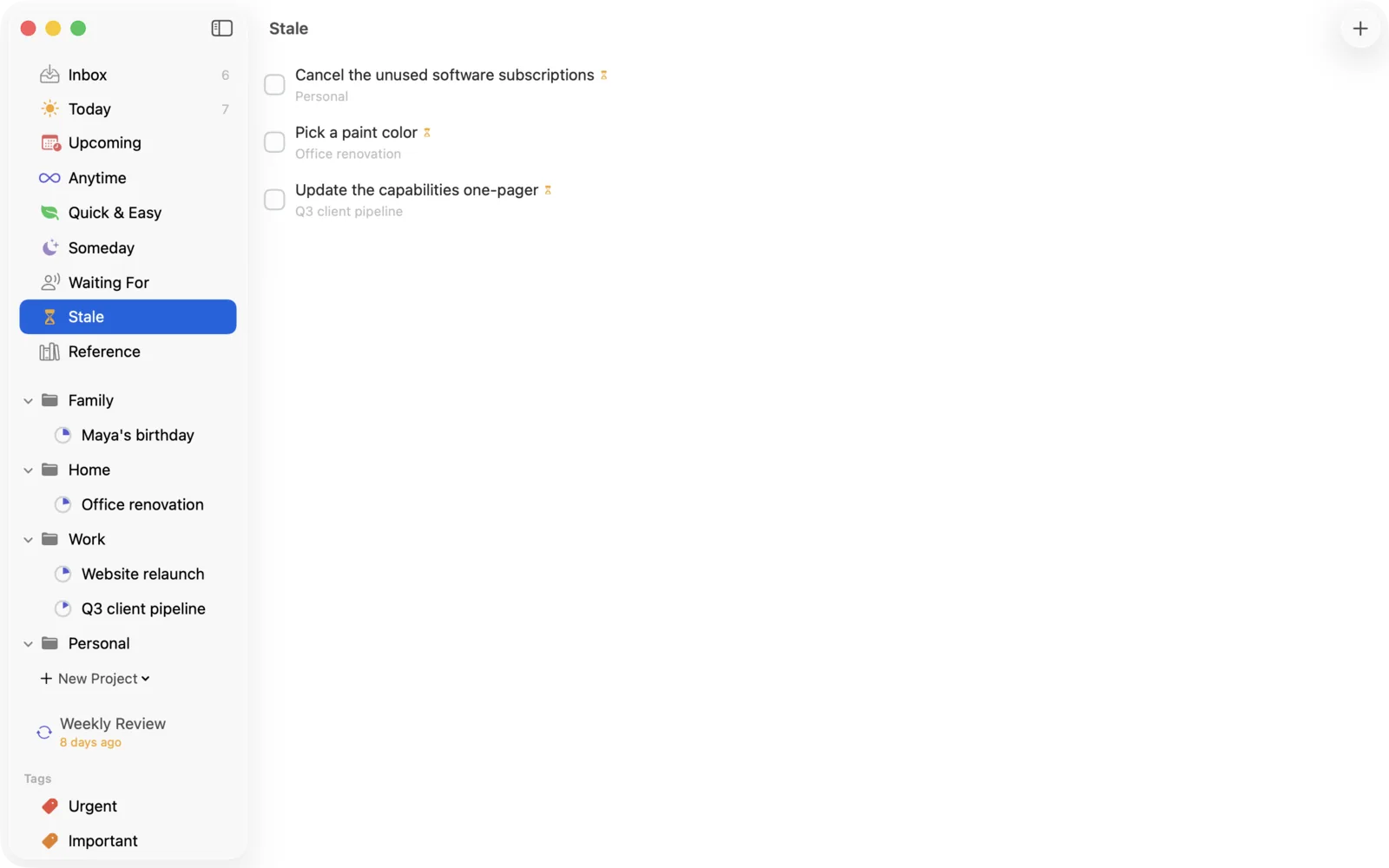
The question: what am I avoiding?
Any actionable item that has sat unresolved for more than a week lands here. It's not a shame list — it's a decision queue. Things go stale for a reason, and each item gets one of four verbs:
Confront — it was just friction; do it now.
Break down — the real next action is smaller than what you
wrote. "Plan offsite" stalls; "email Dana three venue options" doesn't. This is
the most common fix.
Park — you're not doing it this month. Move it to Someday,
honestly.
Drop — you're never doing it. Delete it and feel the list get
lighter.
An empty Stale view after each weekly review is the health metric for your whole system.
Waiting For
The question: what have I handed off, and when do I chase it?
Delegated and blocked items, each with a follow-up date. When you delegate during triage, the item moves here instead of cluttering your action lists — it's not your move, so it shouldn't sit next to things that are. On the follow-up date it resurfaces so you can nudge. Nothing gets lost in someone else's inbox.
Reference
The question: where's that thing I saved?
Non-actionable material worth keeping: confirmation numbers, links, quotes, the wifi password at the coworking space. Reference items never appear in any action list — that's the entire contract. Capture freely into the Inbox, route to Reference during triage, and find it later with search (⌘F).